EagleSpy V5 Cracked Android Spyware
1. Overview of the EagleSpy V5 Cracked Control Panel Architecture
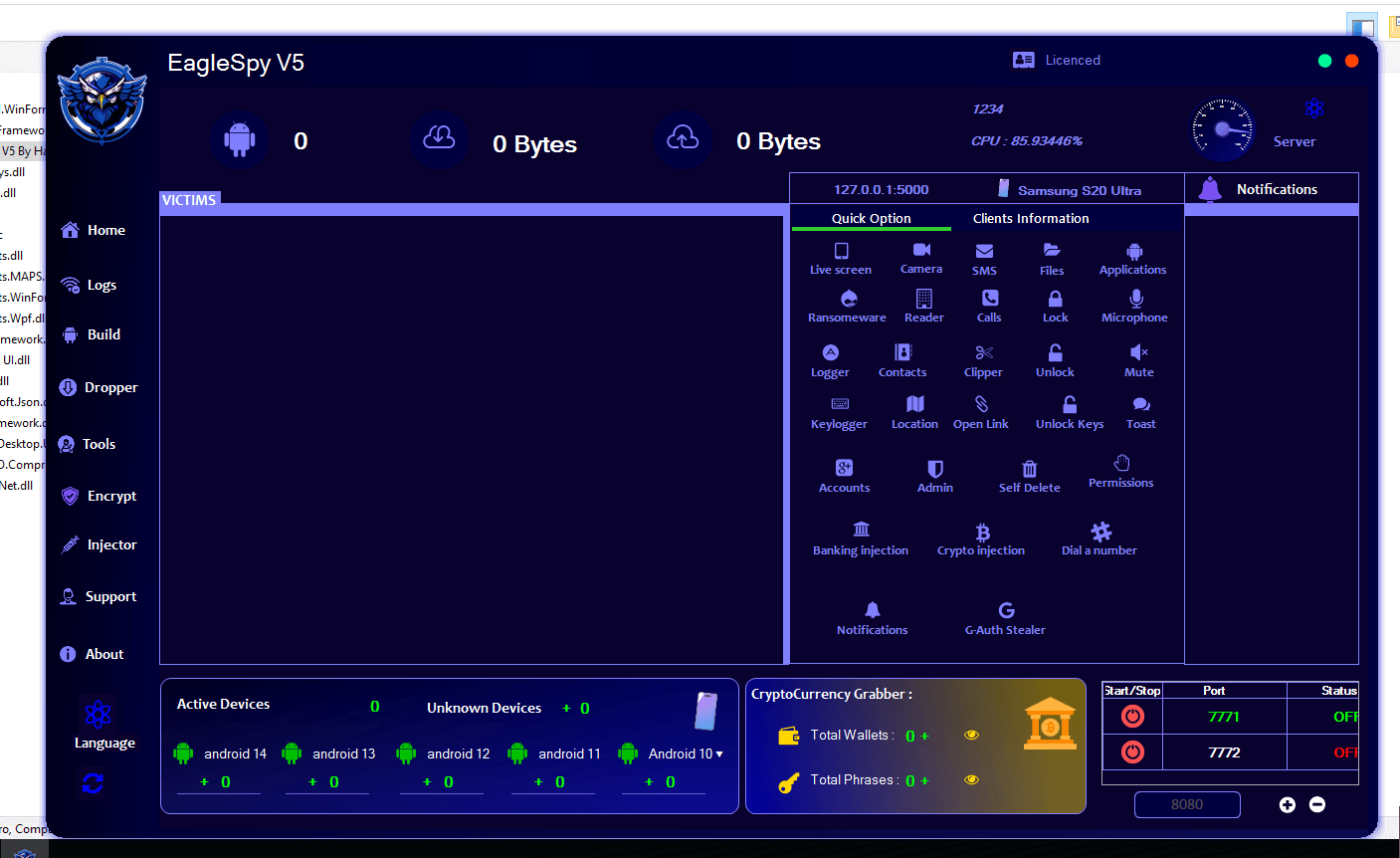
The EagleSpy V5 Cracked interface presents a centralized command-and-control (C2) dashboard, typical of advanced Android spyware frameworks. The GUI is designed to aggregate device status, surveillance capabilities, and control modules into a single administrative environment.
From a research perspective, the interface reflects:
- Modular malware architecture
- Operator-oriented usability
- Emphasis on real-time visibility and persistence
2. Dashboard and System Status Indicators of EagleSpy V5 Cracked
2.1 Victim Management Panel
The primary dashboard includes a “Victims” or connected devices section, which appears to summarize:
- Number of active devices
- Device OS versions (Android 10–16)
- Unknown or unidentified devices
Research implication:
This suggests device fingerprinting and classification logic within the malware’s backend.
2.2 Resource and Server Indicators
The GUI displays:
- CPU utilization
- Network traffic counters (bytes uploaded/downloaded)
- Local or loopback server references (e.g., localhost indicators)
Academic relevance:
Such indicators are consistent with persistent spyware infrastructure, where server health and traffic monitoring are critical for long-term surveillance.
3. Client Information and Device Profiling of EagleSpy V5 Cracked
3.1 Device Identification Panel
A dedicated panel displays specific device identifiers, such as:
- Device model (e.g., Samsung S20 Ultra)
- Client naming conventions
- Connection state
Security implication:
This reflects structured client-device mapping, useful for long-term monitoring and targeting.
3.2 Operating System Segmentation
The GUI categorizes devices by Android version.
Research insight:
This segmentation implies version-aware behavior, allowing malware operators to adapt tactics depending on OS-level security restrictions.
4. Surveillance and Data Access Modules (High-Level Analysis)
⚠️ The following section is descriptive only, based on visible labels and UI elements.
4.1 Live Interaction Capabilities
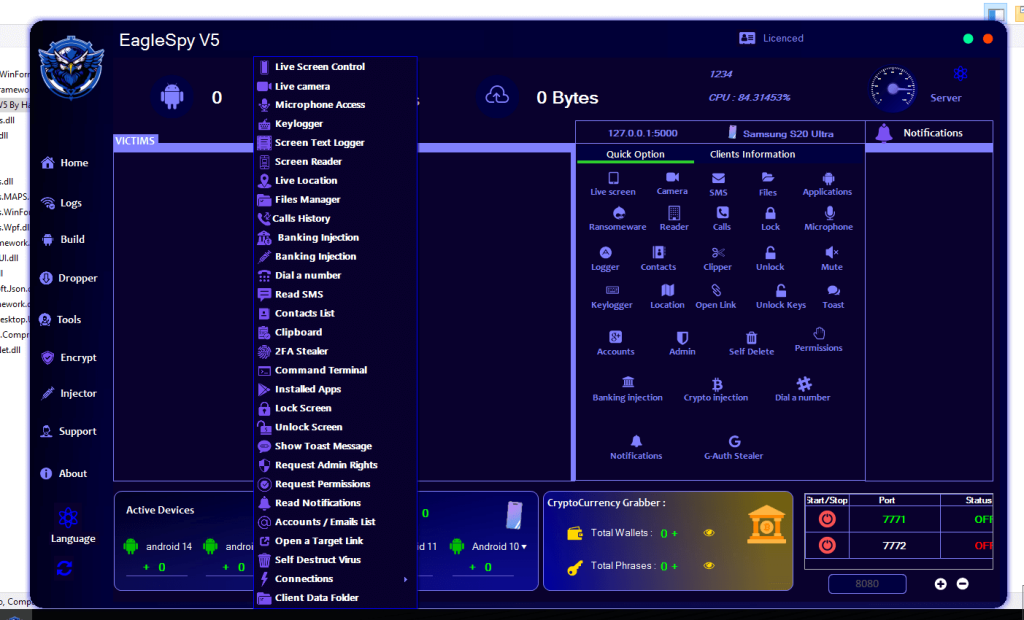
The interface lists modules labeled for:
- Live screen viewing
- Camera access
- Microphone access
Academic interpretation:
These modules align with real-time surveillance spyware, prioritizing direct sensory data extraction.
4.2 Communication and Content Access
Visible GUI elements reference access to:
- SMS
- Call logs
- Contacts
- Notifications
Threat model relevance:
Such access enables behavioral profiling and social graph reconstruction.
4.3 Input and Activity Logging
Modules labeled as:
- Keylogging
- Screen text logging
- Clipboard access
Research significance:
These features indicate credential harvesting and behavioral monitoring objectives, common in advanced spyware families.
5. Location and Tracking Capabilities
5.1 Location Monitoring
The presence of a “Location” or “Live Location” feature suggests:
- Geolocation tracking
- Movement analysis
Privacy impact:
Location surveillance significantly escalates the risk profile of spyware by enabling physical-world correlation.
6. Application and File Management Components
6.1 File System Interaction
The GUI includes file-related modules such as:
- File manager
- Installed applications listing
Academic relevance:
This suggests full or partial file system visibility, enabling data exfiltration and reconnaissance.
6.2 Application Control
Visible controls imply:
- App enumeration
- App-level interaction
Security implication:
Such features allow malware to adapt dynamically to user-installed environments.
7. Privilege Escalation and Persistence Indicators
7.1 Permissions and Administrative Controls
The interface references:
- Permission management
- Administrative rights requests
- Accessibility-related options
Research observation:
These elements align with permission abuse techniques, frequently analyzed in Android malware literature.
7.2 Locking and Device Control
GUI elements indicate:
- Screen lock/unlock actions
- Input suppression (mute, toast messages)
Interpretation:
These controls suggest psychological manipulation and device dominance capabilities.
8. Financial and Credential-Oriented Modules
8.1 Banking and Crypto Injection Labels
The GUI explicitly references:
- Banking injection
- Cryptocurrency-related data
- Wallet and phrase counters
Academic classification:
This places EagleSpy V5 Cracked at the intersection of spyware and financial malware, increasing its threat severity.
8.2 Account and Authentication Access
Labels such as:
- Accounts
- 2FA or authentication-related elements
Security concern:
These indicate a focus on account takeover and identity compromise.
9. APK Builder and Malware Customization Interface
9.1 APK Builder Panel
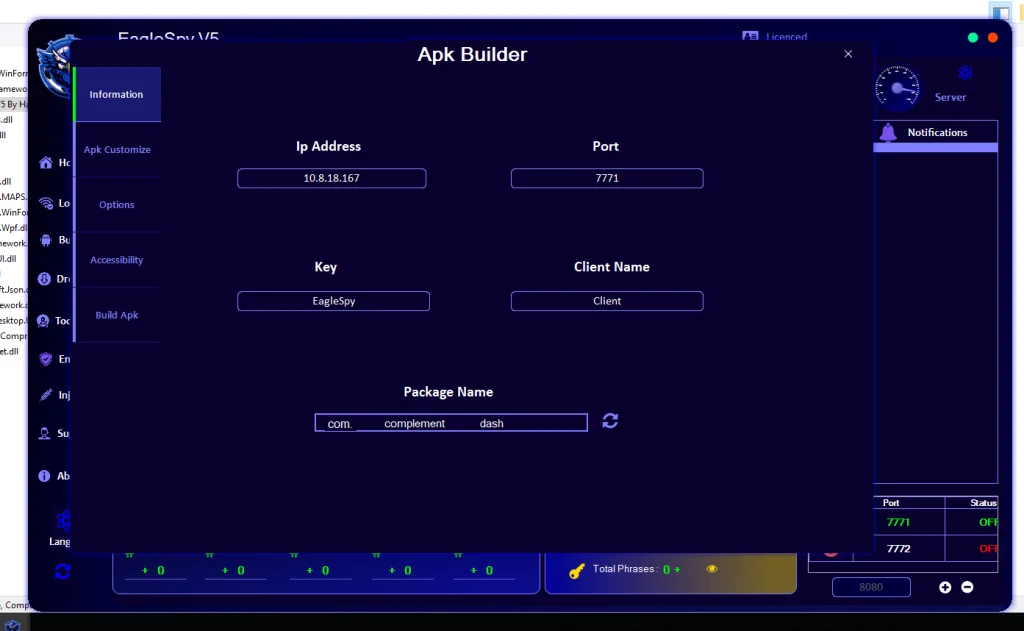
The presence of an “APK Builder” interface suggests:
- Payload customization
- Package naming controls
- Network configuration fields
Research insight:
This reflects malware-as-a-service (MaaS) design patterns, where payloads are generated dynamically.
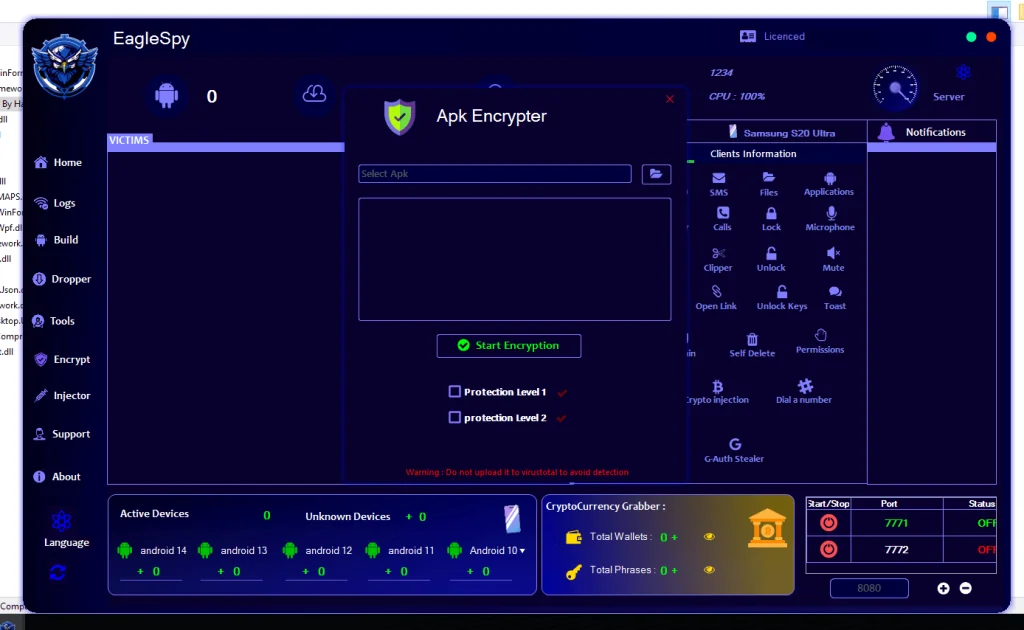
9.2 Customization and Obfuscation Potential
Options related to:
- App identity
- Icons and labels
- Packaging metadata
Academic relevance:
Such features support social engineering and evasion techniques, widely documented in Android malware research.
10. Dropper and Update Mechanisms
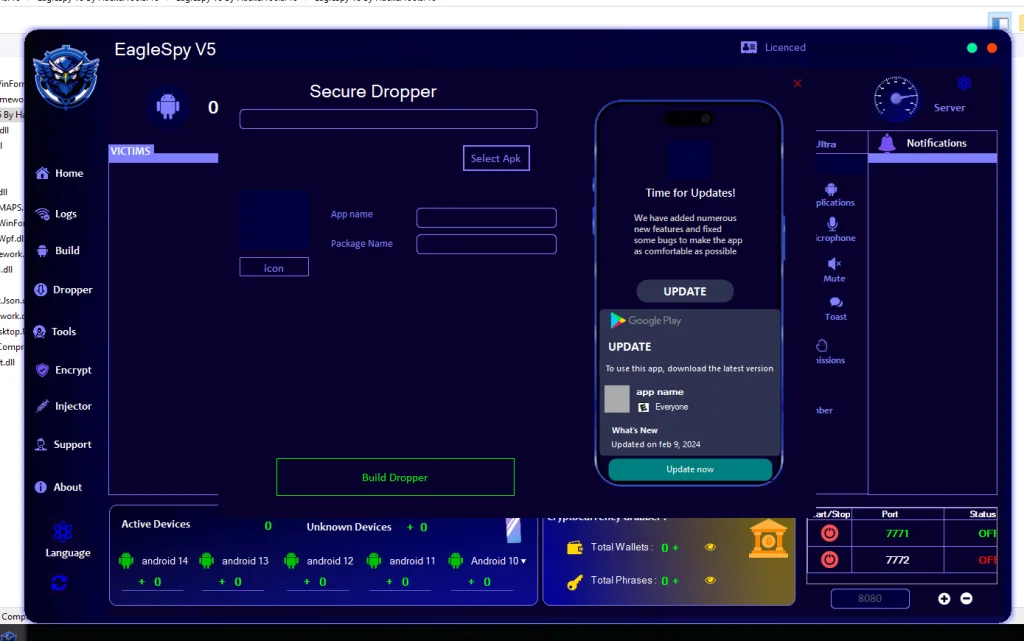
10.1 Secure Dropper Interface
The “Secure Dropper” screen simulates:
- Legitimate app update prompts
- Play Store–style UI elements
Threat analysis:
This strongly indicates social engineering–based delivery, exploiting user trust in update mechanisms.
11. APK Tools and Binary Manipulation Features
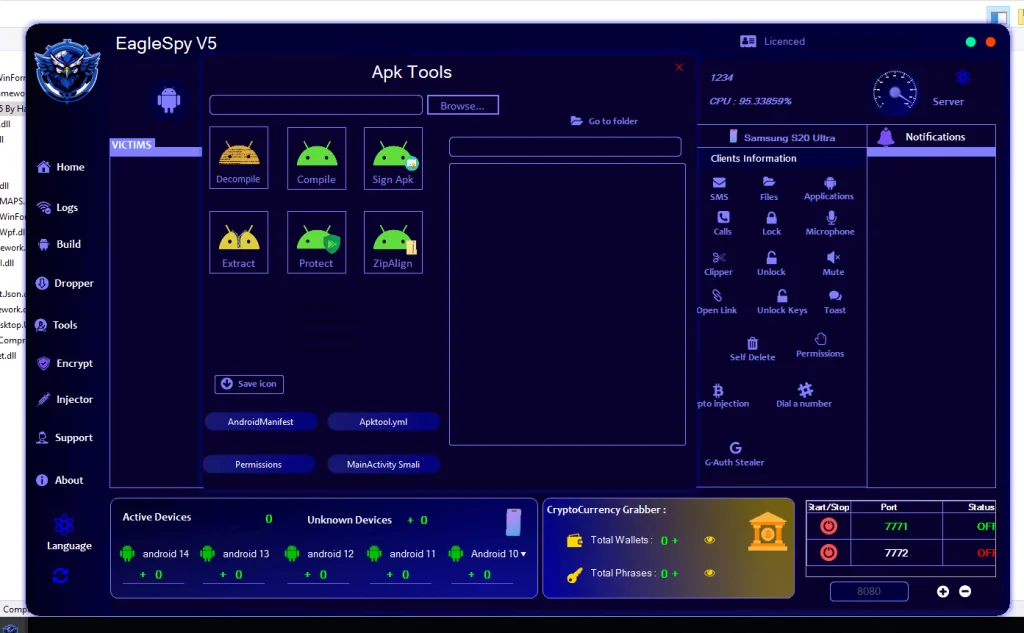
11.1 APK Processing Tools
The interface references tools for:
- Decompiling
- Compiling
- Signing
- Aligning APKs
Academic observation:
This confirms the presence of built-in APK manipulation utilities, reducing reliance on external tooling.
11.2 Manifest and Permission Inspection
GUI buttons referencing:
- AndroidManifest
- Permissions
- Smali components
Research implication:
These features reflect deep integration with Android application internals, enabling fine-grained control.
12. Architectural and Design Implications
From an academic standpoint, the EagleSpy V5 Cracked GUI demonstrates:
- High modularity
- User-centric operator design
- Integration of surveillance, financial, and persistence modules
- Alignment with modern MaaS ecosystems
This design suggests professional development practices, rather than amateur malware construction.
13. Ethical and Research Disclaimer
This discussion is presented solely for educational, academic, and defensive cybersecurity research purposes.
No part of this analysis is intended to facilitate malware use, development, or deployment.
Download EagleSpy V5 Cracked
14. Conclusion
The EagleSpy V5 Cracked interface reveals a highly structured and comprehensive Android spyware platform, integrating surveillance, persistence, financial targeting, and payload customization within a single GUI. From a research perspective, it represents a mature and high-risk mobile malware framework, illustrating current trends in Android spyware evolution.